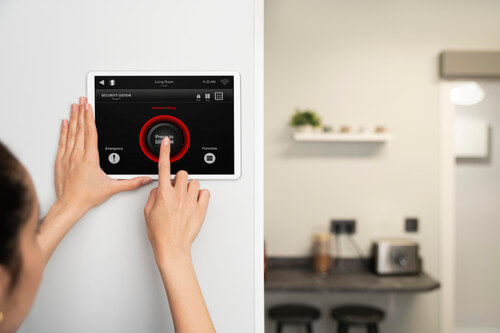
It is easy to assume your smart security system is safe because it still works. Your lock responds, your camera streams, and your alarm arms on schedule. But working and being secure are not the same thing.
Modern home security relies on invisible software running behind the scenes. Firmware and companion apps power everything from smart locks and garage doors to cameras and routers. When that software is outdated, unsupported or misconfigured, your digital front door can quietly become vulnerable.
Most homeowners maintain the hardware. Very few maintain the software layer protecting it. That gap is where problems begin.
The invisible software protecting your home
Firmware is the low-level software embedded inside your device. It acts as the bridge between the physical hardware and the app on your phone. It controls:
- How your smart lock verifies access
- How your camera encrypts video footage
- How your alarm communicates with the cloud
- How your router protects every connected device
When manufacturers discover weaknesses, they release firmware updates to patch them. These patches fix security flaws, strengthen encryption and block known exploits. If you do not install those updates, the vulnerability remains active.
Cybercriminals actively scan the internet looking for devices running outdated firmware. Routers, cameras and smart home hubs are common targets because they can provide broader access to a home network.
The device may appear to function normally. But under the surface, it may no longer be protected against current threats.
Why outdated firmware is such a common entry point
Attackers do not guess randomly. They look for predictable weaknesses. Outdated firmware can expose:
- Weak or outdated encryption standards
- Hardcoded default credentials
- Authentication bypass flaws
- Insecure update mechanisms
- Known vulnerabilities with public exploits
If a device stops receiving updates entirely, it becomes even more predictable. Once a model reaches end-of-life and support is discontinued, newly discovered flaws are unlikely to be patched.
That makes unsupported devices particularly attractive targets.
Think of it like a lock that the manufacturer no longer services. If a flaw is discovered in that lock design, newer models are fixed. Older ones are not.
The hidden risk when apps outpace hardware
There is another issue many homeowners overlook. Mobile apps are updated frequently to improve performance and security. But if your hardware no longer supports modern encryption standards or updated authentication protocols, the gap between app and firmware grows.
That mismatch can create instability, reduced security features or exposure to known risks. In simple terms, your app may be evolving. Your hardware may not be. Over time, that imbalance increases vulnerability.
How attackers find outdated devices
Many people assume someone would have to target their home specifically. In reality, most attacks are automated. Scanning tools search the internet for:
- Devices broadcasting known firmware versions
- Routers running older software
- Open ports on cameras or smart hubs
- Weak default credentials
If your router or smart device has outdated firmware, it may appear in these scans without you ever knowing. This is why firmware updates matter even if you do not consider yourself a high-risk target.
Step 1: Take inventory of your smart security devices
Start with visibility. Make a simple list of:
- Smart locks
- Security cameras
- Alarm hubs
- Video doorbells
- Wi-Fi routers
- Smart garage controllers
For each device, record:
- Brand and model
- Firmware version
- Date of last update
- Whether automatic updates are enabled
You cannot secure what you have not identified. Forgotten or rarely used devices are often the weakest link.
Step 2: Check and enable firmware updates
Open each device’s companion app and look for:
- Firmware version information
- “Check for updates” option
- Automatic update settings
Enable automatic updates where available. This ensures critical patches are installed promptly. Manufacturers should deliver updates through encrypted channels and verify digital signatures before installation. While you may not see this directly, reputable brands will clearly state their update security practices in documentation.
As a general habit, check for firmware updates monthly and apply high-priority patches as soon as possible.
Step 3: Clear app cache and review permissions
App hygiene is often ignored. Over time, apps accumulate temporary files, session data and stored login tokens. Clearing cache helps remove unnecessary data without deleting your settings. On most smartphones:
- Go to Settings
- Select Apps
- Choose the security app
- Tap Storage
- Select Clear Cache
Next, review permissions:
- Does the app require constant location access?
- Is microphone access necessary at all times?
- Does it access contacts without a clear reason?
Revoke any permission that is not essential for functionality. Limiting permissions reduces unnecessary exposure and improves overall digital hygiene.
Step 4: Check manufacturer support status
Visit the manufacturer’s website and confirm:
- Is your model still listed as supported?
- Are firmware updates still being released?
- Has an end-of-life date been announced?
Consumer smart home devices are often supported for three to five years. After that, updates may slow or stop entirely. Signs your device may be unsupported include:
- No firmware updates in over a year
- App compatibility issues after phone OS updates
- Lack of security documentation
- Discontinued product listings
Unsupported devices cannot receive patches for newly discovered threats. Even if they continue working, they are no longer adapting to emerging risks.
Step 5: Prioritise high-impact devices first
Not all devices carry equal risk. Focus first on devices that:
- Control physical access such as smart locks and garage doors
- Connect directly to your router
- Stream or store video footage
- Act as central hubs for multiple devices
If these are outdated or unsupported, they should move to the top of your upgrade list.
When replacement is the responsible choice
There is a difference between cost-saving and risk exposure. Consider upgrading if:
- Firmware updates are no longer available
- The app is no longer maintained
- Known vulnerabilities remain unresolved
- The device cannot support secure update mechanisms
Some technically experienced users explore open-source firmware options for routers. While this can extend device life, it requires ongoing management and careful configuration. For most households, replacing ageing hardware with modern, actively supported equipment is the safer path. Security technology should evolve alongside the threat landscape.
Do not overlook your router
Your router is the gateway to your entire home network. If it is running outdated firmware, every connected smart device inherits that risk. A compromised router can expose cameras, locks and personal data simultaneously. If you have not updated your router firmware recently, prioritise this step.
Schedule a digital security check review twice a year:
- Update all security apps
- Enable automatic firmware updates
- Clear app cache
- Review permissions
- Confirm manufacturer support
- Remove unused devices from your account
- Update router firmware
It takes less than half an hour and significantly reduces long-term exposure.
Your home has two doors
One is physical, the other is digital. You would never ignore a worn lock simply because it still turns. The same principle applies to smart security technology.
Maintaining firmware, managing app permissions and replacing unsupported hardware ensures your digital front door remains secure. If you have not reviewed your devices recently, now is a practical time to start. Ready to strengthen your front door? Explore modern, actively supported smart security solutions designed to evolve with today’s threats.