


There is nothing quite like the convenience of a smart lock until the moment it stops being smart. We have all been there, standing on the doorstep and tapping a keypad or swiping an app only to be met with a stubborn silence or the mechanical grind of a jammed bolt. Because smart locks sit at the intersection of heavy-duty hardware and delicate software, a failure does not always mean the lock is broken.
Often, a digital door lock not working is the result of a simple maintenance issue. A shifting door frame, weak batteries, or connectivity problems can all stop a smart lock from responding. Before calling a locksmith, it is worth running through a few practical checks. Below are the most common smart lock troubleshooting fixes and how to get your keyless entry working again.
1. The Door Drag Adjustment
The problem: Australian homes expand and contract with temperature changes. When a door shifts slightly, the deadbolt may no longer line up with the strike plate. This causes friction that can trigger a motor error or leave the lock partially engaged. Many “motor jammed” alerts are caused by alignment rather than internal failure.
The fix: Open the door and activate the lock. If the bolt moves smoothly when the door is open but struggles when closed, alignment is the issue. Tighten loose hinge screws to help reposition the door. In some cases, adjusting the strike plate slightly is enough to resolve a smart lock motor jammed fix without replacing any hardware.
2. Power Play: Beyond Just “Low Battery”
The problem: Smart locks require strong, consistent power to operate the motor. While the keypad may light up, low-quality batteries often cannot deliver enough output to turn the bolt. This is one of the most common causes of smart lock failure.
The fix: Upgrade to high-quality lithium batteries. These are widely considered the best batteries for smart locks because they provide stable voltage and perform better in heat. While changing batteries, inspect the terminals for corrosion or dust and clean them gently if needed.
3. The Connectivity Reset (The Digital Fix)
The problem: If your smart lock works manually but not through the app, the issue is usually connectivity. Bluetooth or Wi-Fi handshakes can fail after router changes, phone updates, or temporary signal drops.
The fix: Toggle Bluetooth or Wi-Fi on your phone, then power-cycle any hub or bridge connected to the lock. Open the app and check for updates. If problems persist, a factory reset may be required. Most modern locks allow this without deleting access codes, but always confirm with the manufacturer first.
4. Weather and Keypad Sensitivity
The problem: Extreme heat, direct sunlight, and residue from fingers or sunscreen can interfere with touch-sensitive keypads. This can lead to missed inputs or unresponsive screens.
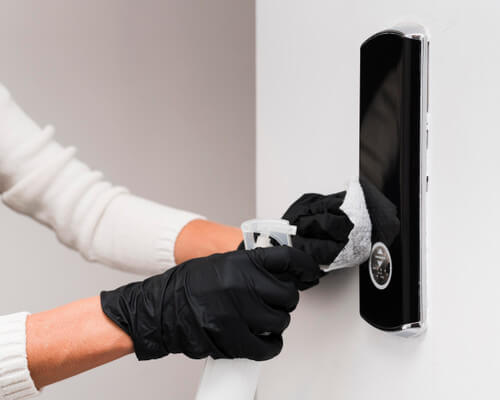
The fix: Clean the keypad with a soft, dry cloth and avoid harsh cleaners. If the lock receives direct afternoon sun, some shading can improve reliability. Also check that Privacy Mode or a similar setting has not been accidentally activated, as this can disable keypad input.
5. Firmware Fatigue
The problem: Running outdated software can cause compatibility issues with newer smartphones and operating systems. Older firmware may also lack performance improvements and security updates.
The fix: Open the lock’s app and check for firmware updates. Brands like Yale, August, and Lockwood regularly release updates that improve stability and security. Keep your phone nearby during updates and avoid interrupting the process once it begins.
When to Stop Fixing and Start Upgrading
At some point, repeated smart lock troubleshooting becomes a sign that the technology itself is outdated. Older locks may rely on early Bluetooth standards that lack modern encryption. Many first-generation Wi-Fi locks also drain batteries quickly, sometimes every two months.
Newer models designed for Matter or Thread networks offer better efficiency, stronger security, and battery life that can last six to twelve months. If your lock motor sounds strained or continues to jam after mechanical fixes, internal wear is likely and replacement becomes the safer option.
A Smarter Way Forward
Smart locks bring convenience and control to your home, but they still need regular checks to perform reliably. In many cases, a simple adjustment or battery upgrade is enough to restore function.
If your current lock is no longer keeping up, explore the latest Matter-compatible smart locks from our catalogue. Newer designs offer faster response times, longer battery life, and smoother everyday access for modern Australian homes.